Watch how it works
Total control over duplicates
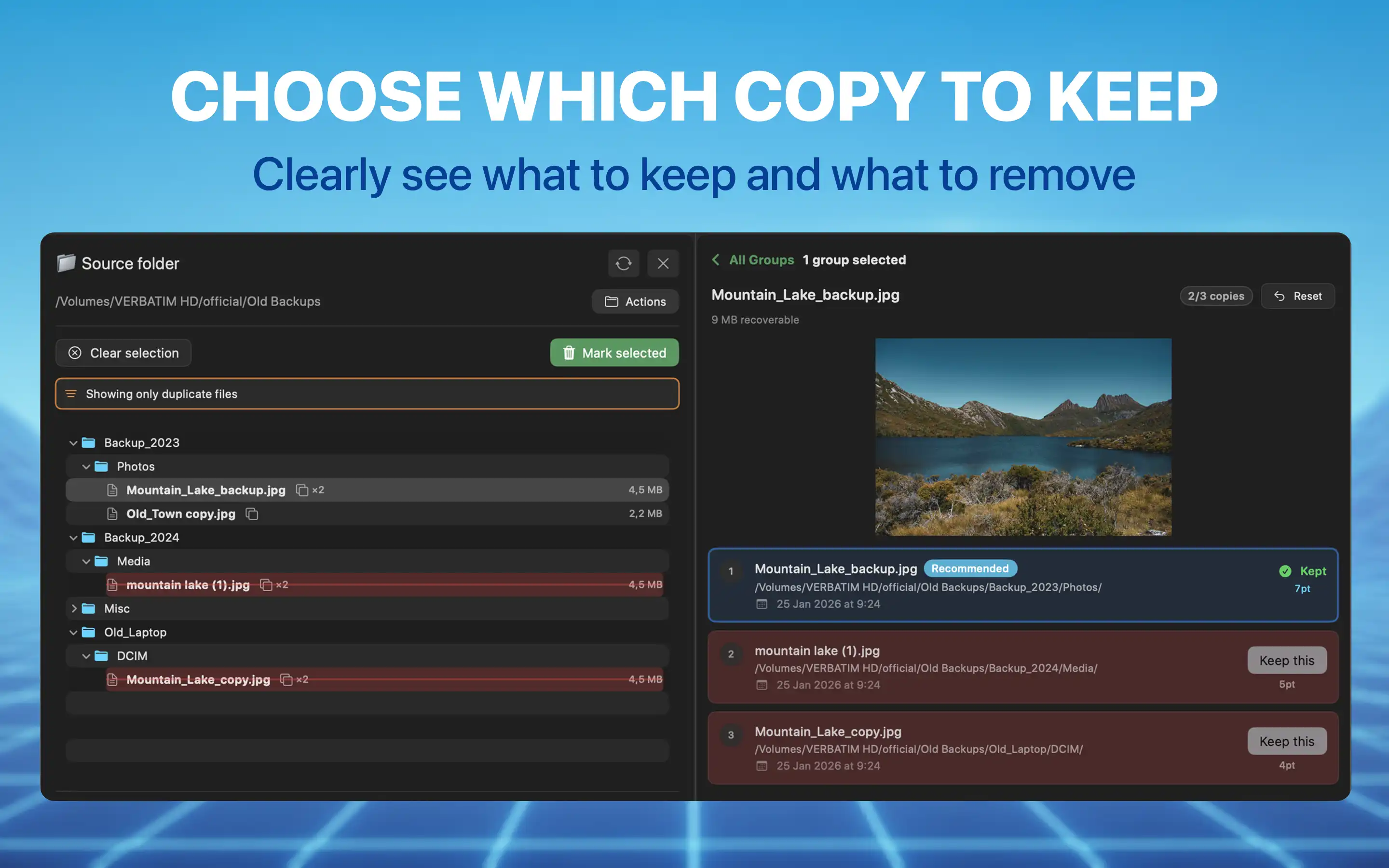
Choose which copy to keep
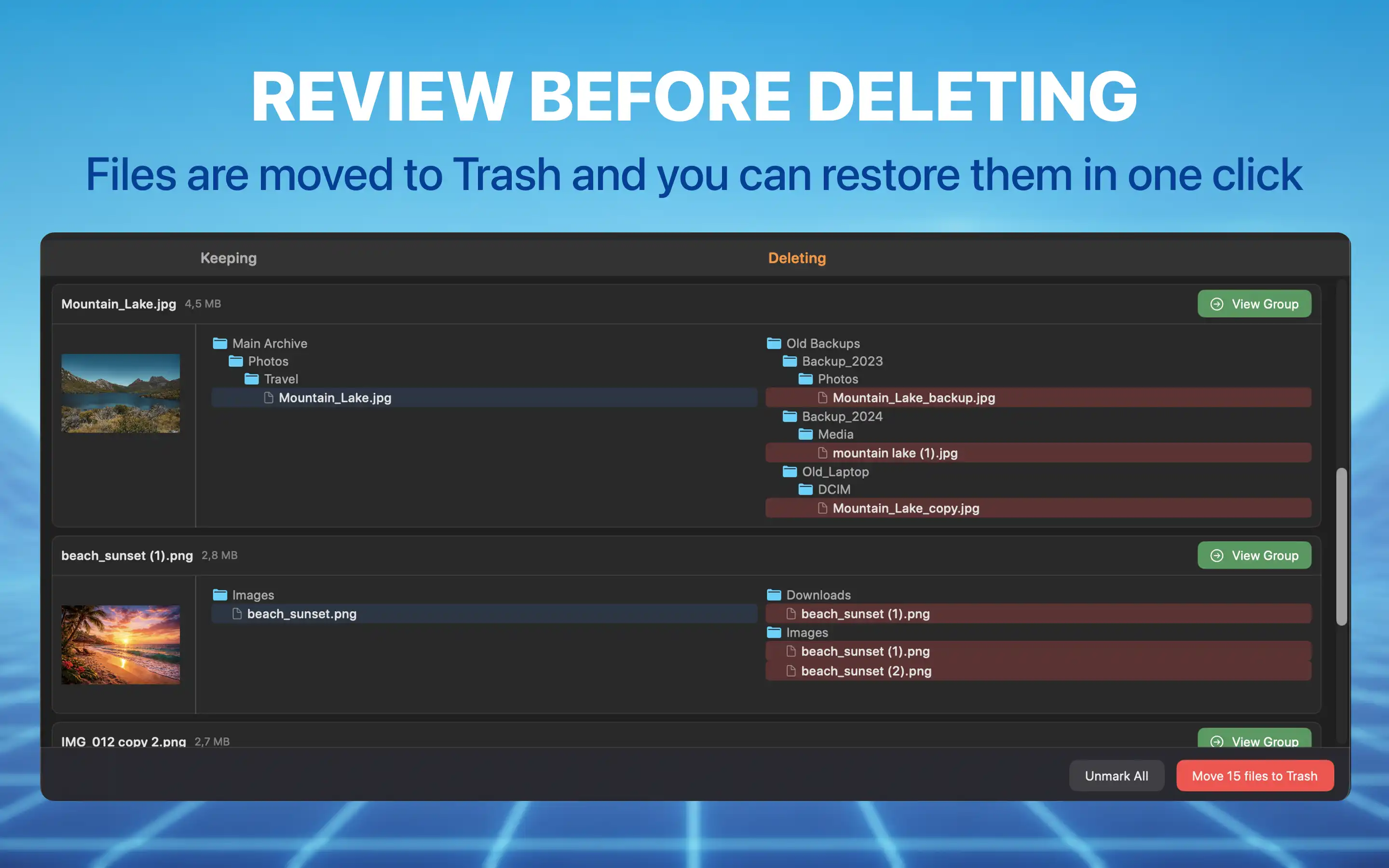
Review before deleting
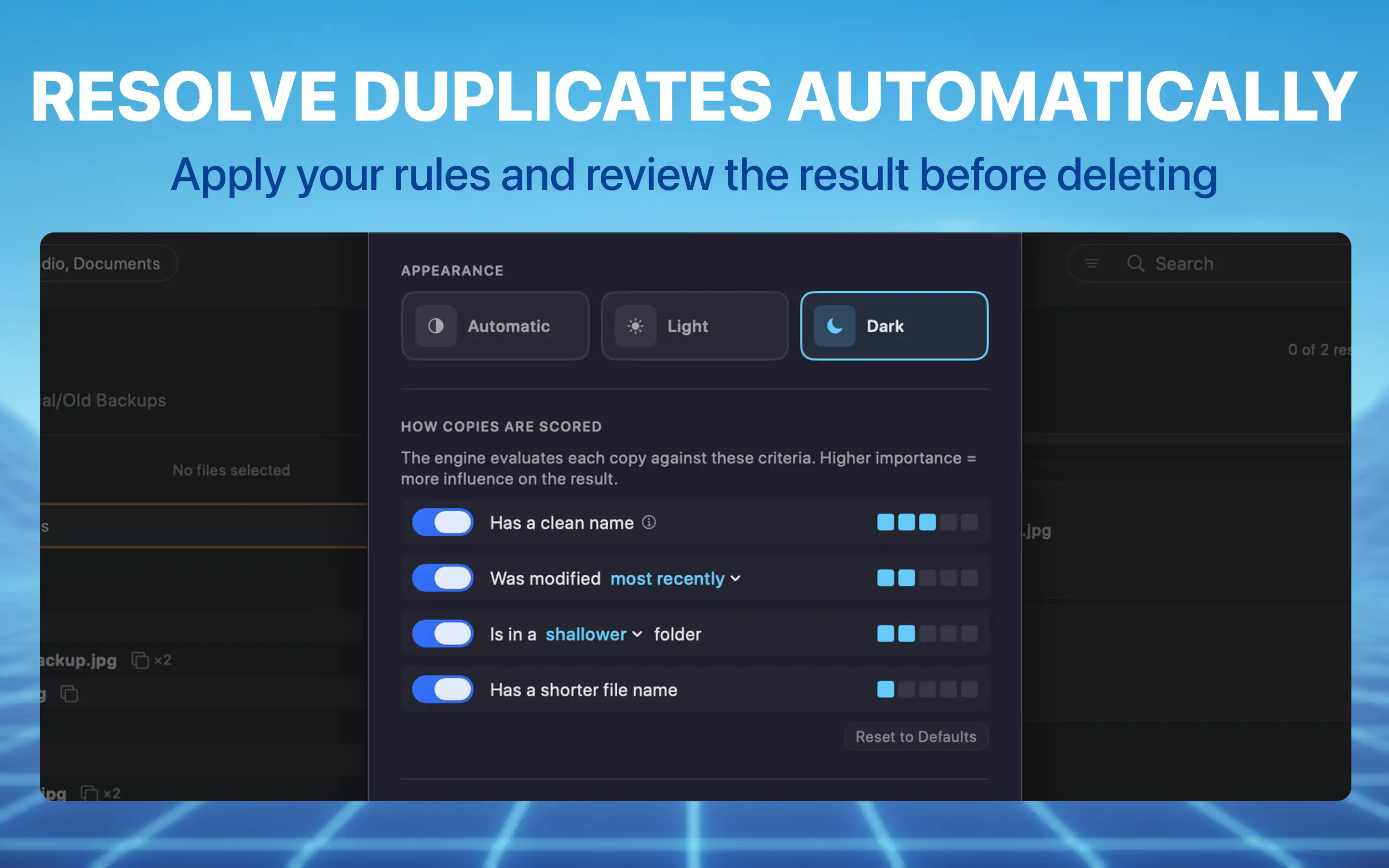
Resolve duplicates automatically
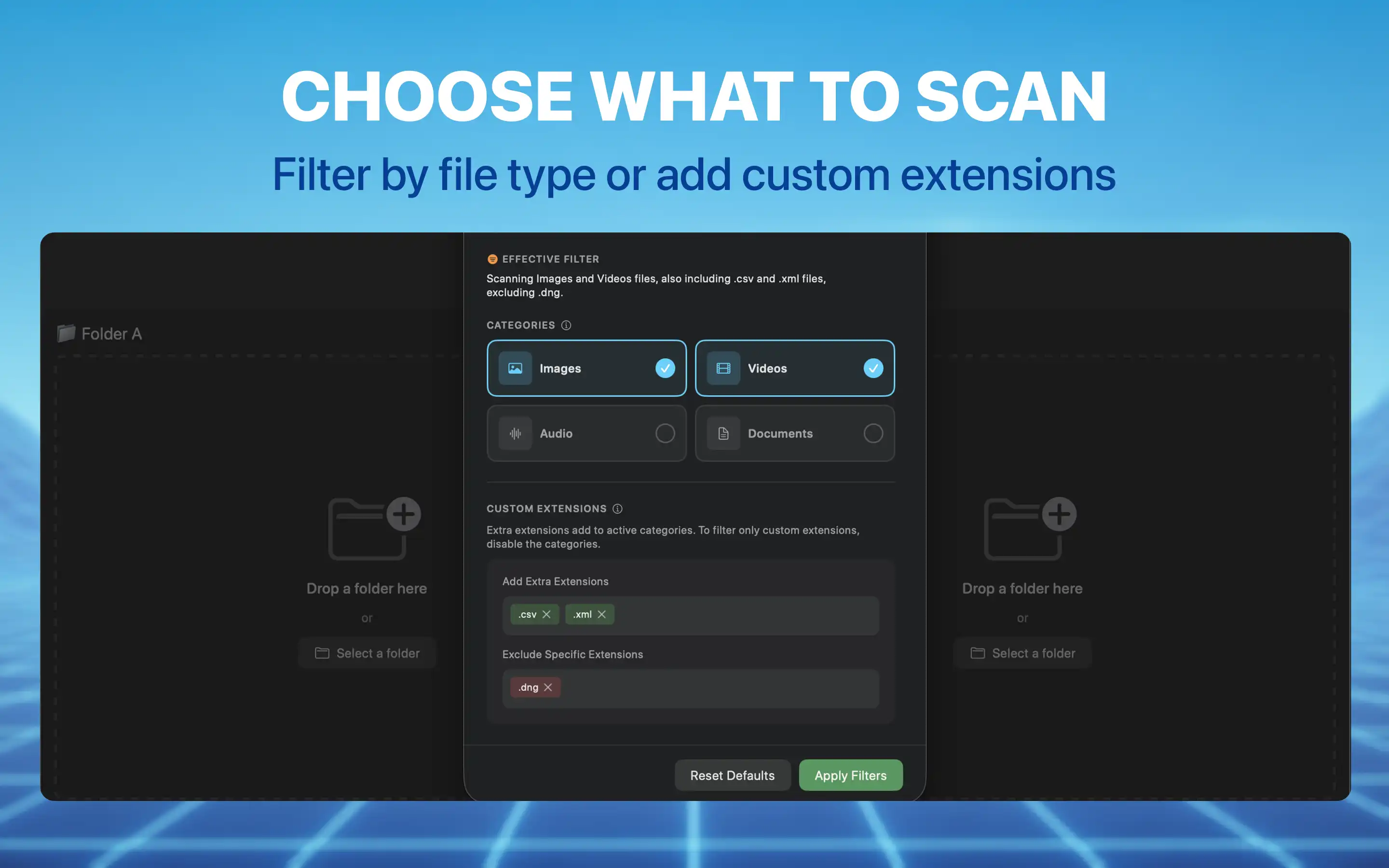
Choose what to scan
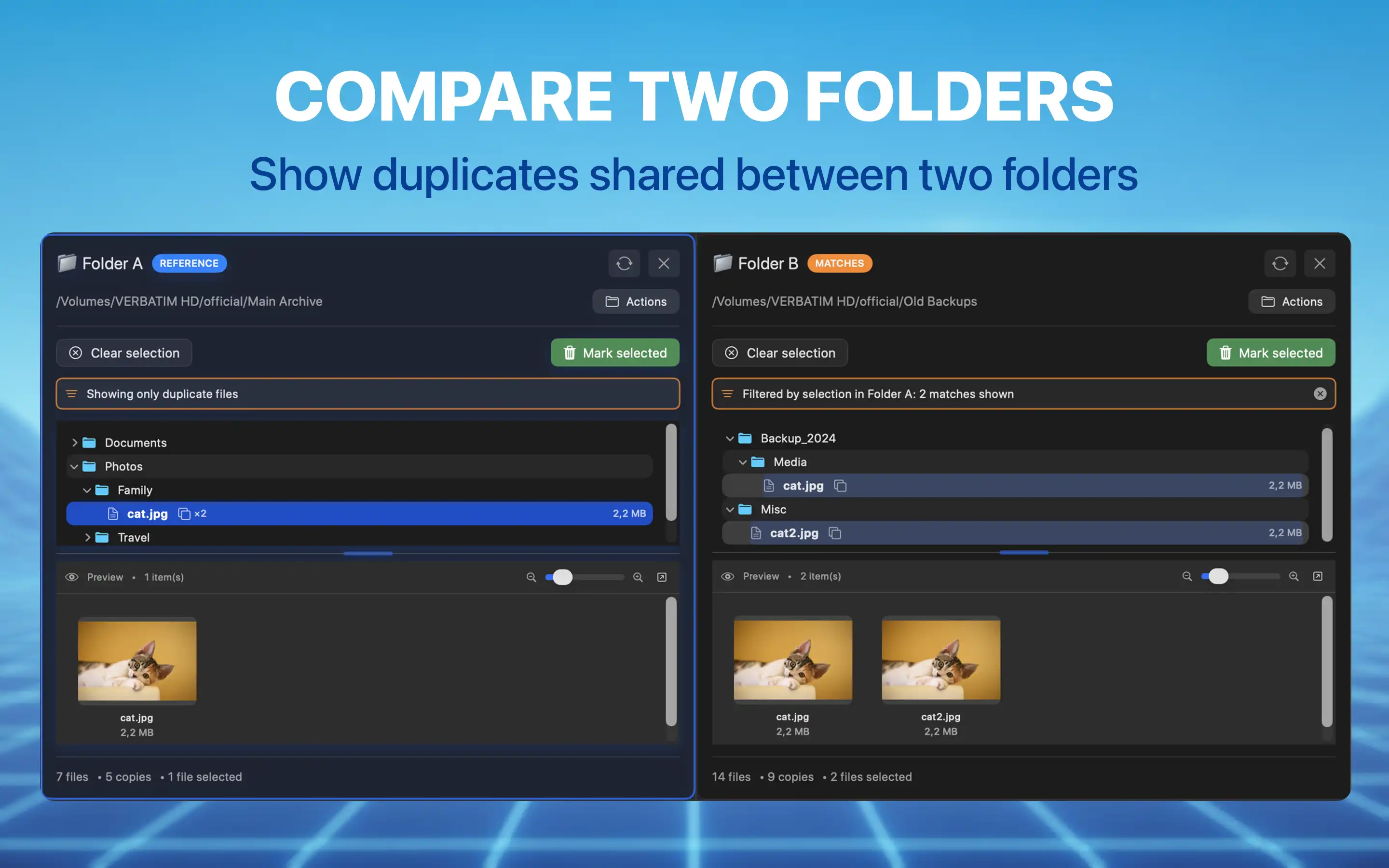
Compare two folders
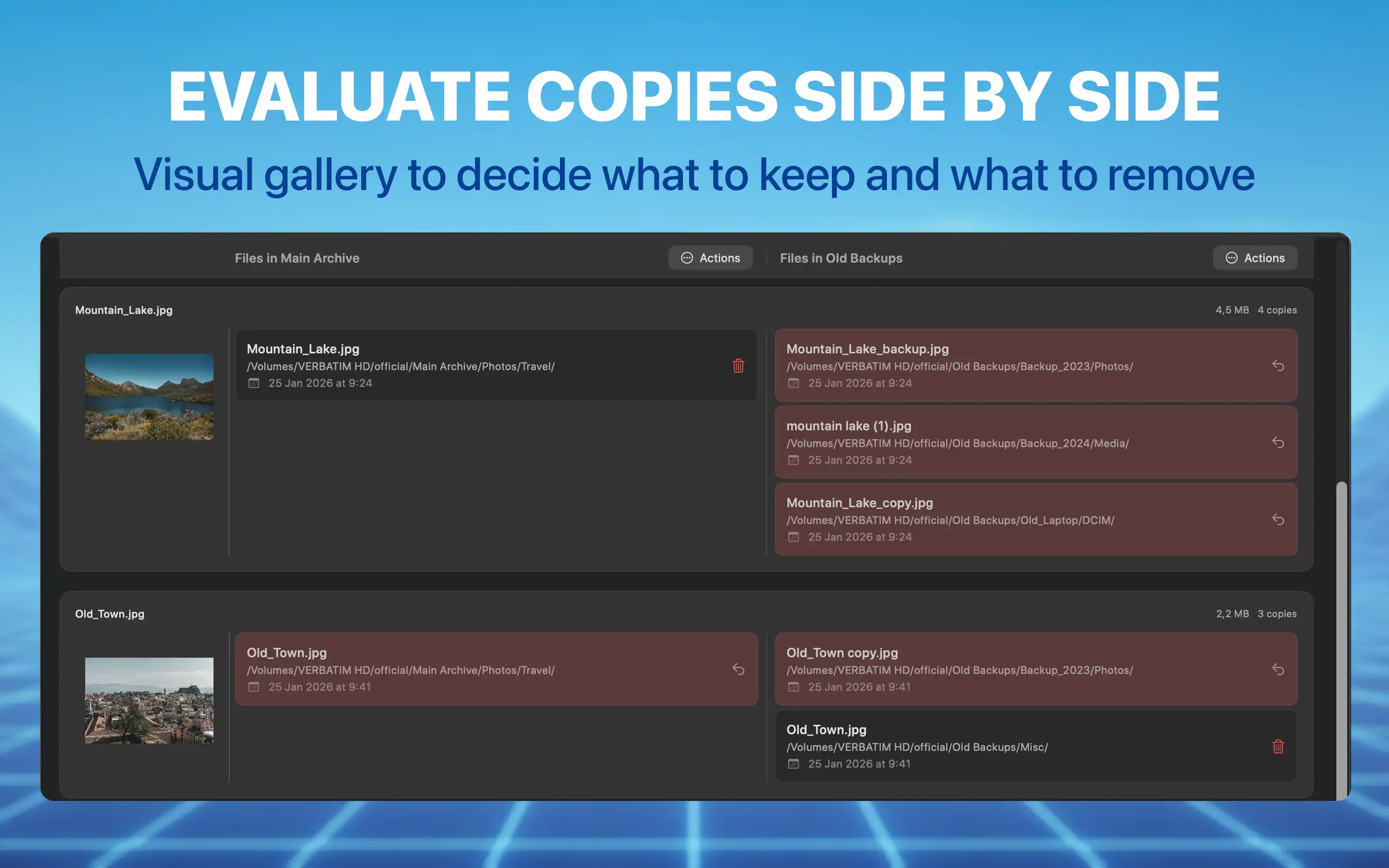
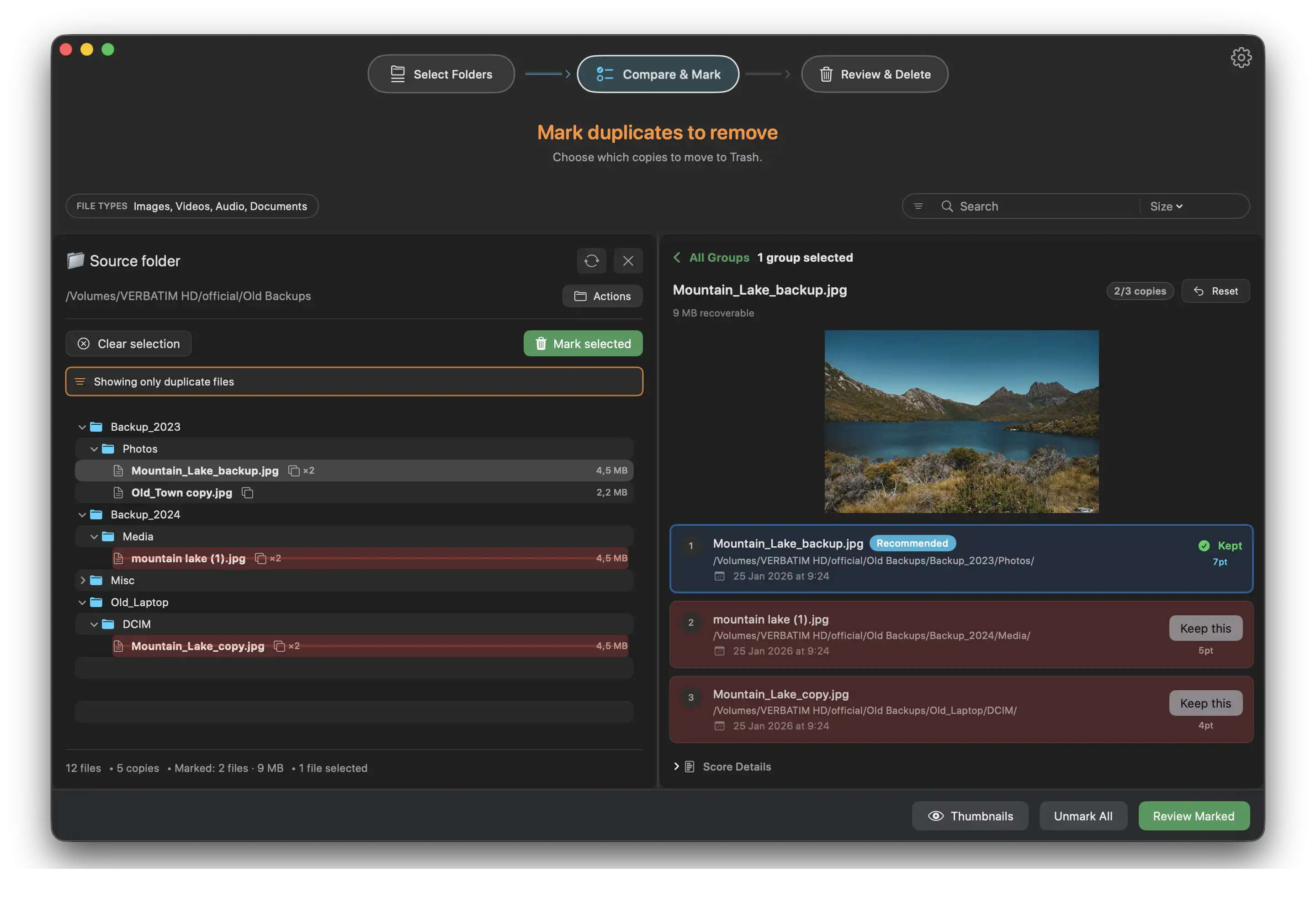
Evaluate copies side by side
Everything you need to find and remove duplicates
Built for macOS with native performance and a safety-first approach.
Content-Based Detection
Detects duplicates by comparing actual file content using SHA256 hashing. Renamed files and files in different folders are found reliably.
Dual-Panel Comparison
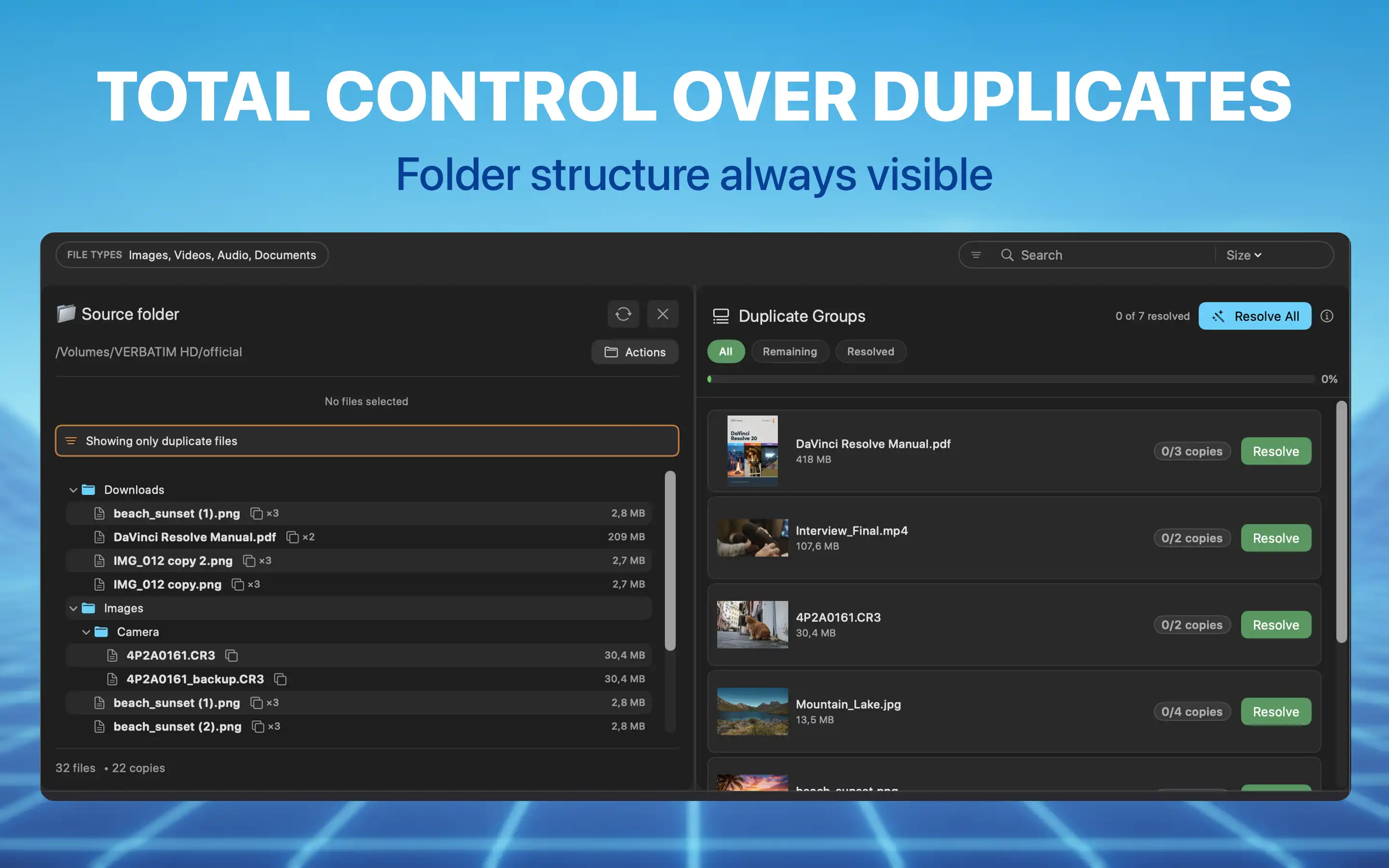
Compare two folders side by side, or scan a single folder for internal duplicates. The full folder structure stays visible at all times.
Cross-Panel Highlighting
Select a file in one panel and instantly see all matching copies highlighted in the other panel. Multi-select to see combined matches.
Comparison Gallery
A dedicated view showing each duplicate group as a row with all copies displayed together for fast visual review.
Safe Deletion Workflow
Mark, Review, Trash. Files are moved to the macOS Trash, never permanently deleted. A built-in warning alerts you before removing all copies.
Preview Everything
Quick Look, inline thumbnail panels, and detachable preview windows. See exactly what you are deleting before you commit.
Guided Resolution
In single-folder mode, the app organizes duplicates into groups and recommends which copy to keep. Resolve one group at a time or batch-resolve all at once.
Configurable Recommendations
A scoring engine evaluates each copy on filename quality, modification date, path depth, and name length. Adjust the weights to match your preferences and let the Resolve function pick the best copy in every group.
Filters & Search
Narrow results by file type, extension, or size. Search by name to find specific files. Target scans to specific extensions to focus on what matters most.
Three steps. Complete control.
A guided workflow ensures you never accidentally delete something important.
Select Folders
Drag and drop folders or browse. Compare two folders or scan one for internal duplicates.
Compare & Mark
Review duplicates with cross-panel highlighting, previews, and the Comparison Gallery. In single-folder mode, the app recommends which copies to keep. Mark files manually or let the recommendation engine resolve groups for you.
Review & Trash
Double-check your selections. See the total space you will recover. Move marked files to the Trash with one click.
Free to try. Upgrade when you are ready.
Scanning, preview, and comparison are completely free. The Full Version unlocks unlimited marking and power tools.
One-time upgrade. No subscription.
Your files never leave your Mac.
Duplicate Wizard runs entirely on your Mac inside the macOS sandbox. No account. No tracking. No data transmission. The app can only access folders you explicitly select.
Read the full Privacy Policy →